Cloud Telephony Migration Checklist for Enterprise
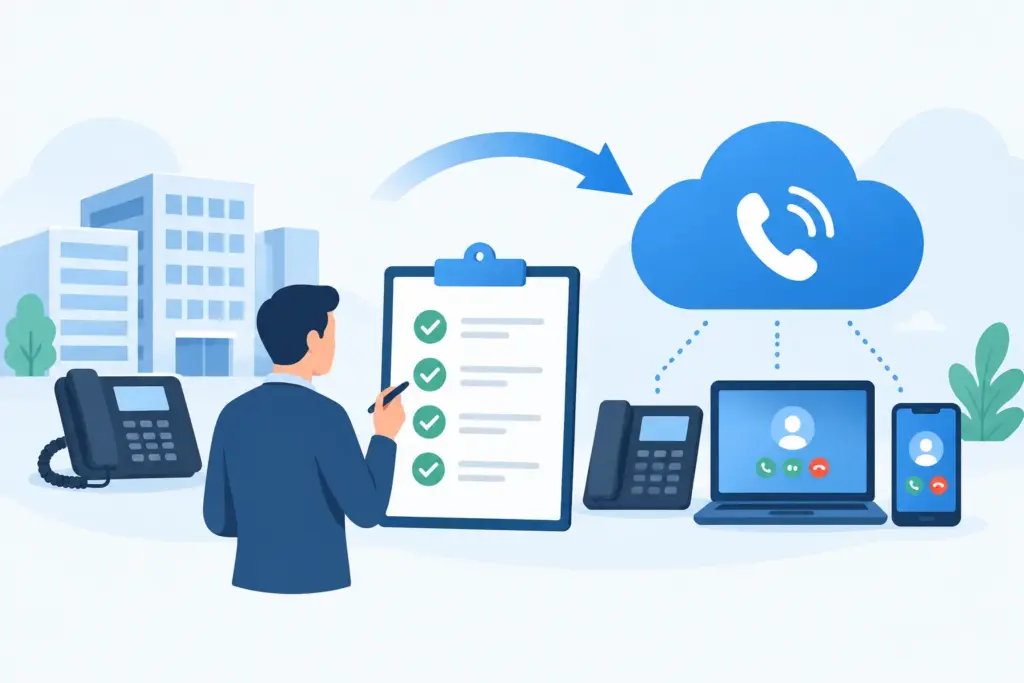
A cloud telephony migration is not a phone-system swap. It is a live change to how employees collaborate, customers reach the business, emergency calls route, and contact center teams handle demand. A disciplined cloud telephony migration checklist protects those operations while replacing carrier contracts, aging PBX hardware, and fragmented communications tools.
For enterprise IT leaders, the goal is not simply to move dial tone to the cloud. The goal is to create a carrier-grade communications environment with continuous uptime, centralized control, and a clear path to Microsoft Teams, contact center, and AI voice automation.
Start With the Business-Critical Call Flows
Before selecting migration dates or submitting port requests, map how calls move through the organization today. Most migration risk lives in the exceptions: an after-hours routing rule built years ago, a hunt group tied to a legacy number, a security desk line, or a contact center queue that escalates to a specialist.
Document the call flows that cannot fail. This includes main numbers, departmental numbers, direct inward dial numbers, toll-free services, emergency calling, fax lines, alarm and elevator lines, executive assistants, call queues, auto attendants, and analog devices. Identify every business application that sends or receives calls, SMS, voicemail, or fax.
This discovery phase should also establish service-level expectations. A sales office may tolerate a brief maintenance window after hours. A healthcare scheduling line, financial services desk, or 24/7 operations center may require parallel routing and a tested rollback plan. Migration design depends on the operational consequence of an unavailable number.
Confirm Ownership of Numbers and Carrier Records
Number porting can be delayed by inaccurate carrier records, not by the cloud platform itself. Validate the customer service record, billing telephone number, authorized signer, service address, and account PIN for every number range. Confirm whether numbers are held by a local carrier, a hosted provider, or a reseller.
Port orders should be grouped intentionally. Porting every number at once may simplify administration, but it concentrates risk. Phased ports can reduce exposure for complex environments, especially when locations have different business hours, local carriers, or call-routing needs.
Assess the Network Before Moving Voice
Cloud telephony performance is inseparable from network performance. High-definition voice requires predictable latency, low jitter, controlled packet loss, and enough capacity during peak use. A bandwidth test alone does not establish readiness.
Assess each office, warehouse, contact center, and remote workforce segment. Review internet circuits, last-mile diversity, firewall policy, quality-of-service configuration, Wi-Fi coverage, VPN behavior, and SD-WAN routing. Voice traffic should have a defined path and prioritization policy, particularly where large file transfers, video meetings, or cloud backups compete for capacity.
Carrier redundancy matters as much as local network readiness. A single carrier dependency can turn an upstream issue into a company-wide communications outage. Multi-carrier routing, geographically diverse infrastructure, and automatic failover give enterprise voice environments more options when a provider or circuit experiences degradation.
Test Real Calling Conditions
Run test calls under realistic load, not only from an IT desk. Test internal and external calls, inbound queue handling, transfers, voicemail, conference calls, mobile users, and failover routes. Include remote employees using home broadband and cellular connections where relevant.
Measure call quality with objective data and user feedback. If a location has unstable Wi-Fi or insufficient upstream capacity, solve that issue before cutover. Moving a poor network to a cloud service only makes the underlying issue easier to see.
Define the Target Architecture and Integrations
The strongest cloud telephony projects begin with an architecture decision, not a feature checklist. Determine where calling will live for each user group. Some organizations need a full unified communications platform for voice, messaging, SMS/MMS, cloud fax, and team collaboration. Others need carrier calling embedded directly in Microsoft Teams while preserving the Teams experience employees already use.
The target design should define identity management, number assignment, device policy, voicemail, call recording, retention, emergency services, survivability, and administrative roles. It should also address how users move between desk phones, softphones, mobile devices, and collaboration clients without creating multiple disconnected identities.
Integration requirements deserve equal attention. Confirm compatibility and call-control behavior for Microsoft Teams, Cisco, Zoom, Genesys, 8x8, CRM platforms, help desk tools, paging systems, and existing contact center technologies. An integration that technically connects but creates duplicate presence states, incomplete caller data, or inconsistent transfers is not ready for production.
For organizations deploying conversational AI, define the voice agent's boundaries before launch. Identify which requests it can resolve independently, when it should schedule service, when it should route to a team, and when it must escalate immediately. The best use cases reduce repetitive call volume and eliminate hold times without placing customers in an automation loop.
Build the Migration Runbook
A successful cutover is rehearsed operationally. The runbook should name an accountable owner for each decision and include exact timings, escalation contacts, test cases, and rollback triggers. It should be usable at 2 a.m. by the people responsible for keeping the business available.
A practical runbook covers these core controls:
- Approved number port dates, carrier order references, and validation of all porting records
- Pre-cutover configuration for users, call queues, auto attendants, emergency locations, and business hours
- Device staging, firmware checks, shipment tracking, and onsite installation ownership
- Network validation results, quality-of-service policies, and failover routing procedures
- A communications plan for executives, employees, help desk teams, customers, and site managers
- Live cutover tests for inbound, outbound, emergency, toll-free, transfer, voicemail, and contact center calls
- Rollback authority, decision criteria, and a documented path to restore service if acceptance tests fail
Do not assume a rollback means returning every configuration to the old system. For a number port, the practical fallback may be temporary call forwarding, alternative routing, or carrier-level failover. The technical team should know which option applies before the migration window begins.
Prepare Users and Support Teams
User adoption is an uptime issue when employees do not know how to place emergency calls, retrieve voicemail, use a softphone, or transfer a customer. Training should be role-based. Receptionists, contact center agents, executives, remote workers, and system administrators have different calling patterns and different failure points.
Give employees a concise readiness package before launch: what changes, when it changes, which client or device to use, where to get help, and what to do if a call cannot be completed. Managers should receive escalation instructions for high-impact teams.
Support teams need deeper preparation. Provide access to a live-status view, common issue triage steps, device replacement procedures, and direct engineering escalation. Commodity support queues introduce delay at the precise moment the organization needs fast diagnosis. Enterprise migrations require accountable technical ownership through cutover and stabilization.
Execute a Controlled Pilot Before Full Deployment
A pilot should represent the complexity of the production environment. Select a group with real call volume, varied devices, remote users, and at least one business-critical workflow. Avoid choosing only technically confident employees or an isolated back-office team.
Use the pilot to validate provisioning speed, call quality, routing logic, integrations, reporting, and support response. Capture issues in a decision log and resolve root causes before expanding. A short pilot can be appropriate for a straightforward single-site deployment; a distributed enterprise with contact center dependencies may need multiple pilot waves.
During full deployment, monitor active call attempts, registration status, port completion, queue performance, and network quality in real time. Maintain a command channel with engineering, carrier operations, internal IT, and business stakeholders. The objective is not to celebrate a completed port order. It is to verify that customers and employees can communicate without interruption.
Stabilize, Optimize, and Retire Legacy Costs
The first days after cutover reveal patterns that lab testing cannot. Review failed-call reports, abandoned queue calls, quality metrics, help desk tickets, and user feedback daily. Tune routing, business hours, device settings, and network policies while the migration team is still engaged.
Then retire what no longer serves the architecture. Cancel legacy circuits, carrier services, maintenance agreements, and overlapping software only after confirming that no hidden dependency remains. This is where consolidation produces tangible gains: fewer invoices, fewer administrative consoles, clearer ownership, and lower carrier overhead.
A cloud telephony migration should leave the organization with more than new calling features. It should create a communications foundation that can support distributed teams, integrated collaboration, intelligent routing, and AI voice agents that respond the moment a customer calls. When the checklist is treated as an engineering discipline rather than a procurement task, modernization becomes a controlled operational advantage.