AI Voice Agents for Microsoft Teams That Work
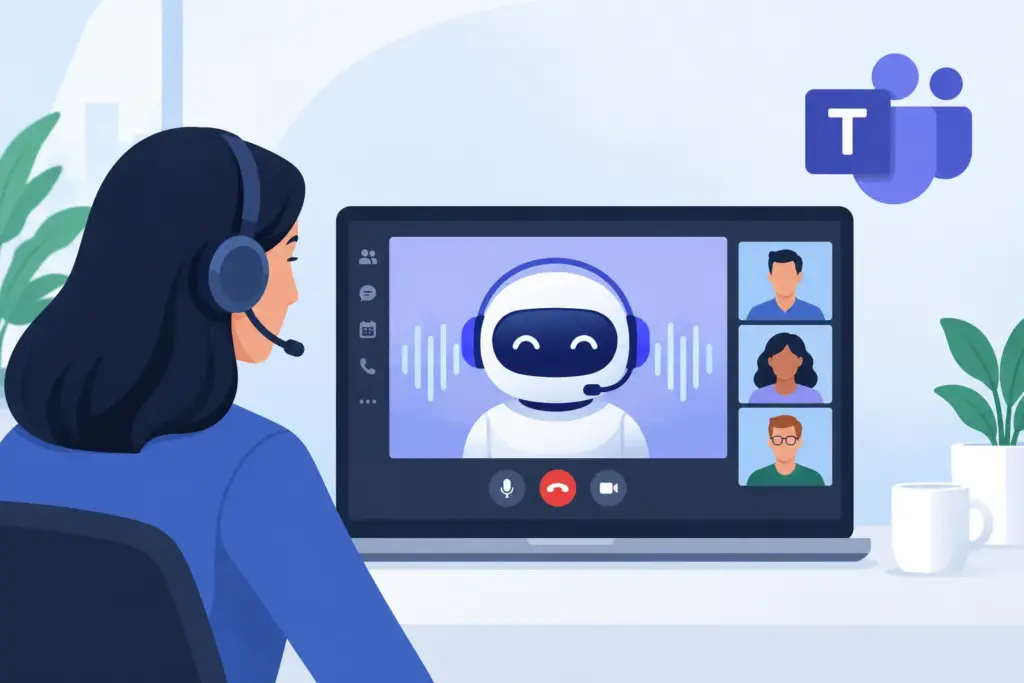
A customer calls at 8:03 a.m. to reschedule a service visit. At the same time, another caller needs a billing answer, a third needs emergency dispatch, and the front desk is already handling two active conversations. AI voice agents for Microsoft Teams change this operating model by answering every call immediately, understanding the request, completing approved tasks, and escalating only the conversations that require a person.
For enterprises that have standardized collaboration around Teams, the opportunity is larger than adding an automated receptionist. The right architecture connects carrier-grade calling, conversational AI, Teams routing, business systems, and live employee availability into one controlled voice environment. The outcome is lower queue pressure, faster response, and a more consistent customer experience without forcing teams to work across disconnected applications.
Why Teams Calling Needs an AI Voice Layer
Microsoft Teams is where many organizations now manage internal calling, meetings, chat, and employee collaboration. Yet customer-facing inbound voice often remains fragmented. Calls may still terminate on a legacy PBX, a separate contact center platform, an outsourced answering service, or a collection of local phone systems acquired over time.
That fragmentation creates a familiar failure point: the organization has collaboration tools, but not an always-on operational layer for handling calls. When volume spikes, employees become the queue. When offices close, callers encounter voicemail. When a customer reaches the wrong department, the transfer path depends on someone knowing where to send them.
An AI voice agent closes that gap. It answers at the carrier edge or within the configured calling flow, conducts a natural spoken interaction, identifies intent, and either resolves the request or routes it through Microsoft Teams to the right queue, user, or on-call team. For routine, policy-approved interactions, the agent can capture details, schedule appointments, provide status information, process intake, and create a structured handoff.
This is especially valuable where missed calls have real operational cost: healthcare access centers, field service organizations, property management groups, financial services teams, logistics providers, multi-location retailers, and enterprise support desks. In these environments, the first answer matters as much as the eventual resolution.
What AI Voice Agents for Microsoft Teams Should Do
A credible deployment must do more than recognize speech and transfer calls. It needs to operate within defined business rules, preserve context, and behave predictably when confidence is low or an exception occurs.
Answer, understand, and act in real time
The voice experience should begin with low-latency audio and a conversation designed for spoken language, not a repurposed web chat script. Callers interrupt, change their mind, use incomplete information, and describe problems in their own terms. The agent must recognize intent, ask the next useful question, confirm critical details, and avoid trapping callers in repetitive prompts.
For example, a service organization can configure an agent to identify whether a caller needs a new appointment, an existing appointment changed, an urgent repair, or a technician status update. The agent can gather location, service type, availability, and issue details before sending a completed request to the appropriate Team or business workflow.
Route with context, not just a transfer
A blind transfer simply moves the queue. Contextual routing improves the entire interaction. Before transferring, the agent should pass the caller's stated need, account or case information when available, urgency indicators, and a concise conversation summary. The employee receiving the call in Teams begins with the facts instead of asking the customer to repeat them.
Routing logic can consider department, geography, language, business hours, employee presence, skill group, or on-call schedule. In an enterprise setting, this logic should be centrally managed rather than rebuilt independently at every location.
Resolve routine requests without a live agent
The strongest business case often comes from calls that do not require human judgment. Appointment scheduling, office hours, order or case status, payment-routing instructions, lead qualification, simple employee directory requests, and basic service intake can be handled automatically when the AI agent is connected to the approved systems of record.
Not every workflow should be automated. Sensitive financial discussions, clinical decisions, complex escalations, and exception-heavy account issues may require a person from the start. The goal is not to eliminate the human team. It is to protect their time for the conversations where expertise changes the outcome.
The Architecture Behind a Reliable Deployment
Voice AI is only as dependable as the telephony and integration architecture behind it. A polished demo can hide the hard questions: Where do numbers terminate? What happens if a carrier route fails? How are emergency calls handled? Which system controls business-hours routing? How is call quality monitored? Who owns support when Teams, the carrier, and the AI workflow are involved?
Enterprise deployments require clear answers. Carrier-grade connectivity, multi-carrier redundancy, number management, quality monitoring, and escalation procedures must be designed alongside the conversational experience. If the AI agent is customer-facing, its availability is part of the organization's front door.
Teams integration also needs to match the organization's calling model. Some companies use Direct Routing with existing SBC infrastructure. Others need operator-based connectivity or a managed carrier calling environment. Hybrid environments may retain legacy PBX, Cisco, Zoom, Genesys, or 8x8 components during a phased transition. The AI voice layer should support the migration plan rather than require a disruptive replacement.
At UCC Networks, this is treated as a communications architecture project, not a standalone bot deployment. AI Connect can operate alongside Teams Connect and enterprise carrier services so voice automation, Teams calling, routing, and support accountability are engineered as one environment.
Design for Containment, Escalation, and Trust
Success should not be measured only by how many calls an agent answers. A voice agent that answers quickly but routes customers incorrectly can damage trust faster than a long hold time. The operating metrics must reflect real customer and employee outcomes.
Track containment rate for calls fully resolved by the agent, but pair it with transfer accuracy, abandonment rate, average time to resolution, repeat-call rate, and post-call sentiment where appropriate. Review the reasons callers request a person. Those moments reveal whether the conversation needs better prompts, a missing integration, a clearer policy, or a faster escalation path.
Escalation design deserves special attention. Callers should be able to reach a person when they need one, particularly for urgent requests. The agent should recognize frustration, repeated failed attempts, explicit transfer requests, and keywords associated with safety, compliance, or high-value accounts. It should also disclose its role clearly and avoid presenting generated information as a confirmed fact when the underlying system cannot verify it.
For regulated industries, governance extends beyond the conversation. Organizations need retention policies, access controls, auditability, data boundaries, and a defined approach for handling personally identifiable information. Requirements vary by sector and state, so the architecture should be reviewed by IT, security, legal, and operational owners before production launch.
Start With the Calls That Create the Most Friction
The best first use case is rarely the broadest one. Start where call patterns are repetitive, customer impact is high, and the action can be defined precisely. After-hours intake, appointment management, overflow handling, dispatch triage, and employee directory routing are common starting points because they deliver visible relief without requiring the agent to solve every possible request.
Build the initial call flows from actual recordings, queue reports, and frontline input. Teams that answer calls every day know the phrases customers use, the exceptions that cause delays, and the information a downstream employee needs. Their knowledge should shape the agent's prompts, escalation criteria, and handoff summaries.
Pilot with clear operating boundaries, then expand based on evidence. A measured rollout gives IT teams time to validate call quality, refine permissions, test failure scenarios, and prove value to business leaders. It also avoids the common mistake of automating a broken process at greater speed.
The practical question is not whether AI can answer a Teams call. It can. The more valuable question is whether your voice environment can turn that first conversation into a completed action, a well-informed handoff, or a zero-hold-time customer outcome. That is where enterprise voice automation earns its place in the communications stack.