Teams Calling Guide for Enterprise Voice Strategy
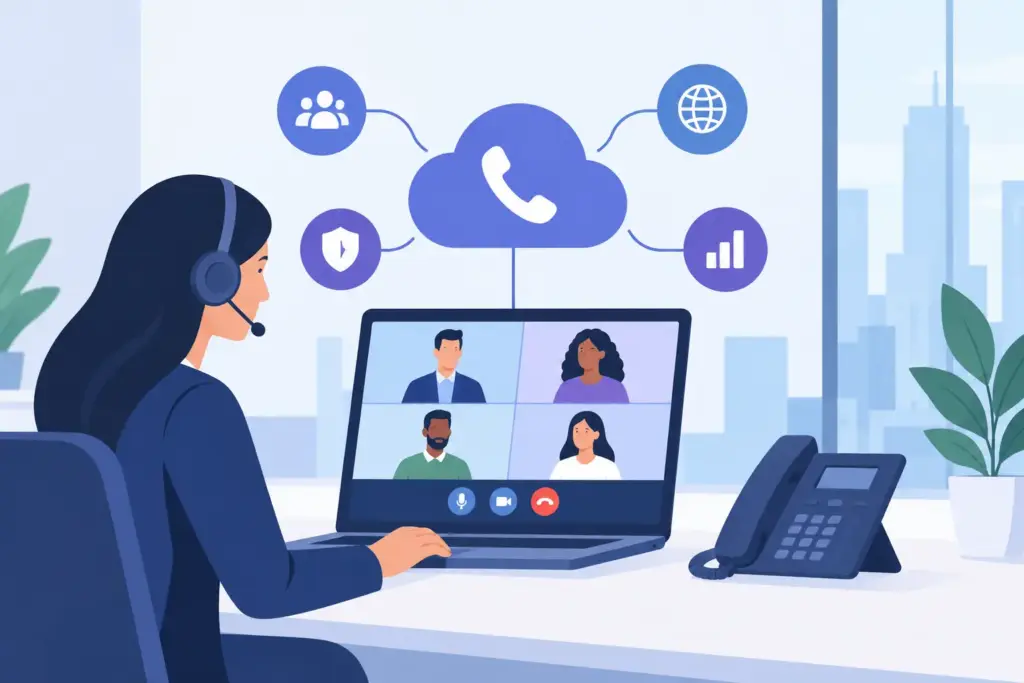
A Microsoft Teams rollout can look complete while a company’s voice environment remains fragmented. Employees chat and meet in Teams, but inbound calls still land on legacy PBXs, branch offices have separate carriers, and contact center transfers break context. This Teams calling guide focuses on the infrastructure decisions that turn Teams into a dependable enterprise calling platform, not just another collaboration interface.
What Enterprise Teams Calling Actually Requires
Teams calling connects users to the public telephone network so they can make and receive external calls from the Teams application, desk phones, mobile devices, or certified room systems. The user experience is straightforward. The architecture behind it is not.
An enterprise deployment must account for number management, call routing, emergency services, quality of service, session border control, survivability, compliance, and carrier resilience. It also needs to work across headquarters, remote employees, warehouses, retail sites, contact centers, and acquired locations that may have different networks and existing phone systems.
The central question is not whether Teams can place a call. It can. The question is whether the calling design can sustain continuous uptime, preserve customer access during failures, and simplify operations as the organization grows.
The Three Ways to Add PSTN Calling to Teams
Microsoft provides several paths for connecting Teams to PSTN services. The right model depends on geographic scope, existing carrier agreements, regulatory requirements, and how much routing control the organization needs.
Microsoft Calling Plans
Calling Plans bundle PSTN service through Microsoft. They are often a practical fit for smaller deployments, organizations with straightforward domestic calling requirements, or teams that prioritize quick procurement over detailed carrier design.
The trade-off is flexibility. Calling Plans may not align with established carrier contracts, complex number-porting requirements, advanced routing policies, or large-scale international operations. They can also be limiting when an organization needs to retain specialized analog devices, integrate legacy voice platforms, or create customized failover paths.
Operator Connect
Operator Connect brings approved carriers into the Teams administration experience. IT teams can assign numbers and users through Teams while using a participating carrier’s service. This model reduces some of the operational complexity associated with managing direct carrier interconnects.
It is a strong option when the selected provider supports the required countries, service levels, porting timelines, and features. However, carrier availability varies, and enterprises should validate how the provider handles redundancy, emergency calling, reporting, contact center integration, and support escalation before standardizing on the service.
Direct Routing
Direct Routing connects Teams to a carrier through certified session border controllers, or SBCs. It gives enterprises the highest degree of control over voice routing, number retention, geographic coverage, and integration with existing communications infrastructure.
For complex environments, that control matters. Direct Routing can support a phased PBX migration, route calls by business unit or location, maintain existing SIP carrier relationships, and integrate Teams with analog gateways, paging systems, contact center platforms, or survivable branch appliances. It requires capable engineering and active management, but it is often the most adaptable model for distributed enterprises.
A Teams Calling Guide to Architecture Decisions
A successful calling program begins with a call-flow design, not a license count. Map how customers, employees, and systems use voice today. Include main numbers, auto attendants, call queues, hunt groups, toll-free services, fax workflows, elevator lines, alarm circuits, overhead paging, and emergency locations.
Then identify what should move into Teams, what should remain connected through gateways or SBCs, and what should be retired. A location with a handful of knowledge workers has different needs than a healthcare campus, manufacturing facility, or multi-site financial services organization.
Design for Carrier Resilience
A single carrier path creates a single point of failure, regardless of how modern the collaboration application appears. Enterprise voice design should evaluate diverse carrier connectivity, geographically separated SBC capacity, intelligent routing, and automatic failover rules.
For example, an inbound customer call can be delivered through a primary carrier route and automatically redirected through a secondary path if a trunk, data center, or regional network segment fails. The goal is not merely failover on paper. It is maintaining reachability when a disruption occurs.
Carrier-grade infrastructure also depends on clear ownership. Determine who monitors call quality, who receives alerts for trunk failures, who tests disaster recovery routes, and who can make routing changes during an incident. Commodity support models can turn a voice outage into a multi-vendor troubleshooting exercise. Engineering-led support shortens the path from symptom to resolution.
Build for Emergency Calling and Location Accuracy
Emergency calling is a deployment requirement, not an afterthought. For US organizations, Teams calling design should support dynamic emergency location identification where applicable, accurate dispatchable locations, emergency call notifications, and tested routing behavior for remote and hybrid workers.
A user’s assigned office location is not always enough. If the employee moves between floors, buildings, home offices, or temporary work sites, the system needs policies that reflect the actual calling environment. Network topology, wireless access point mapping, subnets, and user confirmation processes all affect location accuracy.
Legal obligations vary by location and industry, so this work should involve IT, facilities, security, legal, and business continuity stakeholders. Test emergency call flows after deployment and whenever networks, offices, or routing policies change.
Protect Call Quality Before Users Notice a Problem
Voice quality is usually blamed on Teams when the cause is the network. Low-latency audio depends on sufficient bandwidth, controlled jitter, low packet loss, and correctly configured network paths. A calling project should include a readiness assessment across corporate offices, remote access patterns, Wi-Fi coverage, and internet egress design.
Quality of service policies can prioritize real-time media over less time-sensitive traffic on managed networks. They are valuable, but QoS is not a substitute for adequate capacity. An overloaded internet connection, weak wireless environment, or poorly designed VPN path will still affect conversations.
For remote employees, the most effective strategy may differ. Some organizations benefit from split tunneling for approved Microsoft traffic. Others need policy-based controls because of security architecture or regulatory requirements. The correct answer depends on risk posture, network design, and the ability to monitor real user call quality.
Operational teams should establish baselines before migration, then monitor metrics such as packet loss, jitter, round-trip time, failed call rates, and user-reported quality by site. A problem isolated to one branch office needs a different response than an issue affecting a carrier region or a global policy change.
Plan Migration Around Business Continuity
Number porting and user cutover are where a voice project becomes highly visible. A rushed migration can leave customers calling disconnected numbers, employees without outbound dialing, or reception teams unable to transfer calls. A controlled migration protects business continuity while reducing the burden on support teams.
Start with an inventory that reconciles carrier billing, phone numbers, devices, call flows, and actual usage. Telecom inventories frequently contain inactive lines, undocumented forwarding rules, and services that no one realizes are business-critical until they stop working.
Pilot Teams calling with a representative group, not only technically confident IT users. Include reception, sales, operations, executives, mobile workers, and teams that handle high call volumes. Their feedback will expose routing, training, device, and workflow issues that a narrow pilot misses.
Migration waves should include rollback plans, user communications, help desk preparation, and validation checkpoints. For larger environments, temporary coexistence between Teams and legacy PBX systems is often the safer approach. It allows numbers and departments to transition in sequence rather than forcing a single high-risk cutover event.
Extend Teams Calling Beyond Internal Collaboration
Teams becomes more valuable when voice connects to the systems that run customer operations. Contact center platforms, CRM applications, workflow tools, and AI voice agents can route requests, provide context to employees, and reduce the number of calls that require live intervention.
Not every call should go to a queue. An always-on AI voice agent can answer routine questions, capture intent, schedule service, route urgent requests, and hand off complex interactions with relevant details. That creates a practical path toward zero hold times without forcing organizations to replace every existing customer engagement system at once.
UCC Networks designs Teams Connect environments around this operational reality: carrier calling inside Teams, resilient routing, and the integrations required to keep voice available across the enterprise. The value is not simply consolidating applications. It is giving IT a controllable voice foundation while giving customers a faster path to answers.
Establish Ownership After Go-Live
Teams calling is not a set-it-and-forget-it deployment. Numbers are added, offices move, acquisitions occur, carrier conditions change, and customer service workflows evolve. Governance should define who owns dial plans, number provisioning, auto attendants, call queues, emergency locations, device standards, and reporting.
The best operating model combines centralized policy with local business input. IT should control architecture and security, while business leaders validate how calls reach departments, after-hours teams, and customer-facing staff. Review call data and service performance regularly so routing logic follows real demand rather than outdated organizational charts.
A well-engineered Teams calling environment should make the phone system less visible to employees and more reliable to the business. When calls reach the right person, emergency routing is accurate, and carrier failures do not become customer-facing events, voice stops being a source of operational friction and becomes dependable infrastructure.