Cisco Calling versus Teams Phone for Enterprises
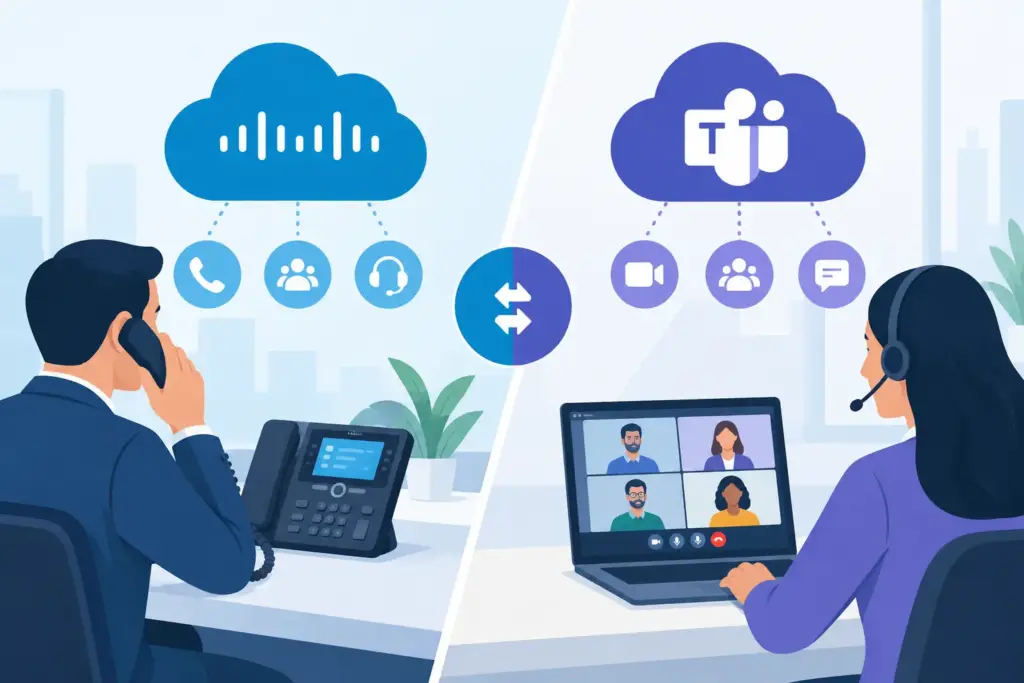
A failed call transfer at 8:15 a.m. can expose more than a phone-system issue. It can leave field teams unable to reach dispatch, force customers into queues, and create an immediate escalation for IT. The Cisco Calling versus Teams Phone decision is therefore not a feature checklist. It is an operating-model decision that affects collaboration, carrier connectivity, governance, customer experience, and the path from legacy voice to cloud communications.
For organizations with distributed sites, established Cisco investments, and high call volumes, both platforms can support enterprise-grade communications. The better choice depends on where users work, how voice is routed, which applications already carry operational weight, and how much architectural flexibility the business requires.
Cisco Calling versus Teams Phone: Start With the Operating Model
Cisco Calling generally refers to Cisco Webex Calling, often evaluated alongside Cisco Unified Communications Manager, Webex Suite, and Cisco contact center capabilities. Its strongest fit is an organization that views calling as a dedicated communications discipline, with a mature Cisco environment, specialized voice requirements, and teams that need collaboration beyond meetings and chat.
Teams Phone is Microsoft’s cloud calling capability inside the Microsoft Teams client. It is designed for organizations where Teams is already the primary workspace for meetings, messaging, files, and daily collaboration. Employees place and receive PSTN calls without moving to another application, while administrators manage identity and policy through the Microsoft ecosystem.
That distinction matters. A company can deploy either platform successfully, but user adoption is usually strongest when the calling experience appears in the workspace employees already use all day. Conversely, a business with sophisticated Cisco call flows, branch survivability needs, or deep Webex investments may create unnecessary operational friction by forcing a wholesale platform shift solely because Teams is widely deployed.
Where Cisco Calling Has the Advantage
Cisco Calling is often the stronger option when voice architecture needs to extend well beyond basic desk-phone replacement. Webex Calling supports enterprise telephony features such as auto attendants, hunt groups, call queues, shared lines, executive-assistant workflows, device management, and survivability options. For complex environments, Cisco’s broader portfolio also gives IT a familiar path across cloud calling, on-premises calling, contact center, meetings, and network infrastructure.
Complex Voice Design and Cisco Continuity
Organizations with existing Cisco Unified CM deployments can preserve valuable call-routing logic, endpoint investments, and operational knowledge through hybrid or phased migration models. This is particularly relevant for healthcare systems, manufacturers, financial services firms, and multi-site enterprises where a single cutover window is not realistic.
Cisco also gives communications teams a cohesive answer when Webex is the strategic collaboration standard. Calling, meetings, messaging, room systems, and Cisco endpoints can be managed as parts of a unified experience rather than separate products joined together after deployment.
The trade-off is user behavior. If most employees already live in Teams, asking them to use Webex for calling can create duplicate chat, meeting, presence, and notification experiences. That may be acceptable for contact center agents, operations teams, or specialized business units. It is less attractive when the business wants one familiar front door for every employee interaction.
Endpoint and Branch Requirements
Cisco remains compelling for organizations with substantial physical phone deployments, conference rooms, analog devices, common-area phones, and branch-office voice requirements. Existing endpoint fleets do not automatically determine the future platform, but they materially affect migration cost, support procedures, and adoption risk.
For locations where WAN interruptions can stop business operations, design details matter more than brand selection. Local survivability, PSTN failover, emergency calling, and carrier diversity should be defined before the platform is chosen. Neither cloud calling service creates continuous uptime by default. Resilience comes from the complete architecture.
Where Teams Phone Has the Advantage
Teams Phone is built for Microsoft-centered enterprises seeking to consolidate employee communications in one working environment. A user can chat with a colleague, join a meeting, review a document, and place a customer call from the same interface. That reduces context switching and simplifies the employee experience without requiring a separate communications client for routine calling.
A Familiar Client for the Workforce
For organizations that have standardized on Microsoft 365, Teams Phone can reduce training overhead and accelerate adoption. Presence is visible where users already collaborate. Teams meetings and calls share the same identity model. Mobile and desktop calling policies can be applied through a common administrative framework.
Teams Phone is especially effective for knowledge workers, distributed professional services teams, internal service desks, and enterprises that want to retire fragmented PBX systems while maintaining a consistent collaboration experience. It can also support front-line calling needs when the deployment includes the right queue design, devices, licensing, and carrier connectivity.
However, Teams Phone is not a complete contact center strategy by itself. Businesses with advanced quality management, workforce engagement, complex routing, or high-volume customer interactions will often need an integrated contact center platform. The same is true for organizations that want AI voice agents to resolve routine requests, schedule appointments, and route calls without hold times.
Carrier Choice Changes the Outcome
Teams Phone supports several PSTN connectivity models: Microsoft Calling Plans, Operator Connect, and Direct Routing. These are not interchangeable procurement options. They determine number-porting processes, geographic coverage, routing control, redundancy design, support boundaries, and long-term carrier cost.
Calling Plans can suit straightforward deployments, but they may not provide the control or international flexibility required by larger enterprises. Operator Connect simplifies carrier provisioning through Microsoft’s ecosystem. Direct Routing delivers the greatest architectural flexibility, allowing an organization to connect Teams to its preferred carrier and session border controller design.
For enterprise environments, Direct Routing or a managed carrier service is frequently the better fit when the business needs multi-carrier redundancy, existing telecom contracts, complex site routing, or zero-downtime migration planning. UCC Networks designs Teams connectivity around carrier-grade infrastructure rather than treating PSTN access as an afterthought.
Compare Administration, Security, and Resilience
Cisco Calling and Teams Phone both provide centralized cloud administration, policy controls, analytics, and enterprise security capabilities. The operational difference is the management plane your IT organization already understands.
Cisco administrators may prefer the continuity of Webex Control Hub, Cisco endpoint management, and established UC workflows. Microsoft-focused teams may value the relationship between Teams Phone, Entra ID, Microsoft 365 identity controls, and Teams administration. Neither preference is trivial. A platform that requires a separate management skill set, unclear escalation procedures, or disconnected reporting can increase support load after the project team has moved on.
Resilience requires a more exact discussion. Ask how calls will behave when an internet circuit fails, a carrier has an outage, a cloud region is impaired, or a site loses power. Confirm emergency-calling behavior by location. Validate failover paths with real test calls. Establish whether reception, dispatch, and customer-facing queues have alternate routing plans.
The provider’s support model also matters. Commodity voice providers may support the service boundary but not the complete call path. Enterprise teams need engineering accountability across carrier connectivity, routing, session border controls, Microsoft or Cisco configuration, and incident response.
Plan the Migration Before Naming the Winner
The safest modernization program is rarely a big-bang replacement. Start by documenting numbers, call flows, emergency locations, analog dependencies, integrations, devices, and peak call patterns. Identify the business units that can move first without putting customer operations at risk.
A phased deployment can keep Cisco and Teams environments operating in parallel while numbers, queues, and users transition in controlled waves. This approach preserves service continuity, exposes design gaps early, and gives help desk teams time to support real user behavior. It is also the right time to retire outdated routing rules rather than reproducing every legacy exception in the new platform.
Do not overlook contact center, CRM, paging, door access, fax, alarm lines, and elevator phones. These dependencies often determine the actual project timeline. A migration plan is credible only when it includes them, assigns ownership, and defines rollback procedures for each cutover.
Make the Decision Around Work, Not Brand Loyalty
Choose Cisco Calling when Cisco is central to your communications strategy, advanced voice architecture is a priority, or existing Cisco workflows and endpoints create a clear operational advantage. Choose Teams Phone when Microsoft Teams is the employee workspace, consolidation is the objective, and the organization can pair Teams with the carrier design and customer-service tools its operations require.
Many enterprises do not need to declare one permanent winner on day one. A coexistence strategy can protect prior investments while moving knowledge workers to Teams and retaining Cisco capabilities where they serve specialized operational needs. The goal is not to standardize for its own sake. It is to create a calling environment that remains available under pressure, gives employees one clear way to work, and gives customers a fast answer when they call.
Before committing, bring infrastructure, security, service desk, contact center, and business operations leaders into the same design session. The right platform becomes much clearer when the question shifts from “Which phone system has more features?” to “What must still work when the business is at its busiest?”