8 Call Queue Automation Examples That Cut Waits
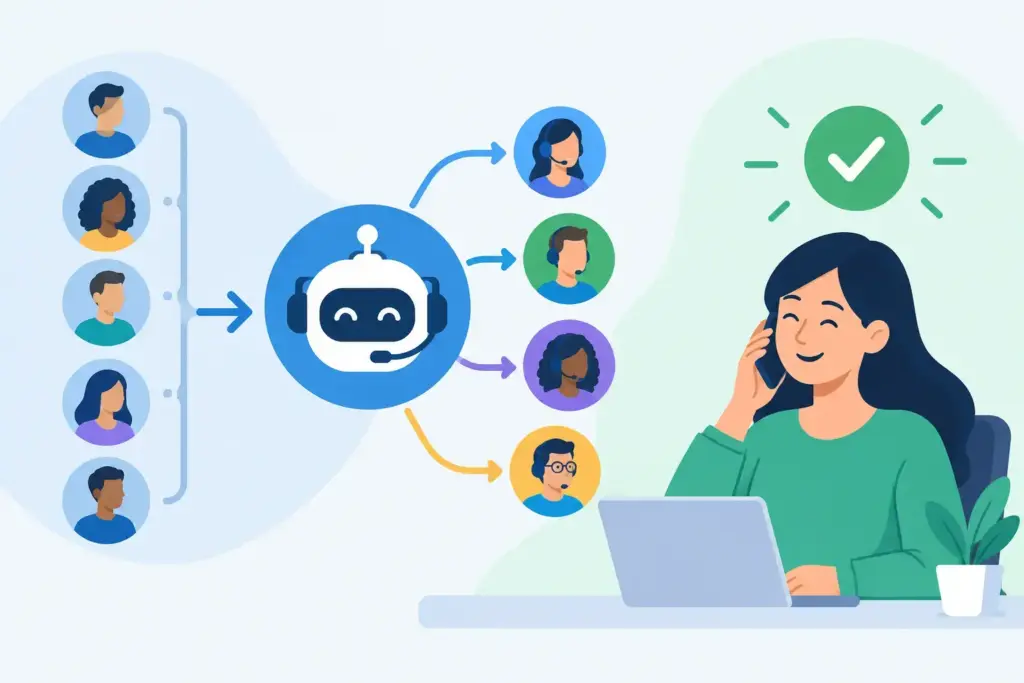
A customer who calls at 8:03 a.m. to report a service outage should not hear the same menu as someone calling to pay an invoice. That distinction is where effective call queue automation begins. The strongest call queue automation examples do more than move callers through a line faster. They identify intent, apply business rules, connect to the right system, and resolve routine requests before an agent is needed.
For enterprise communications leaders, the objective is not simply a shorter average speed of answer. It is a queue design that protects customer experience during peaks, gives agents the right context, and continues operating when staffing, locations, or carrier paths change. The following examples show where automation delivers measurable operational value and where human escalation must remain part of the design.
8 call queue automation examples for enterprise operations
1. Intent-based routing before the queue
A conversational voice agent can answer an inbound call, ask a natural-language question such as, “How can I help today?” and classify the request before it enters a queue. A caller reporting a damaged shipment is sent to logistics. A caller asking about an invoice is directed to accounts receivable. A critical support request is identified and routed to the appropriate priority workflow.
This is more precise than a long touch-tone menu because callers do not need to understand an internal department structure. It also reduces transfers, which often inflate handle time and create abandonment risk. The trade-off is that intent models require tuning around industry vocabulary, product names, and ambiguous requests. Start with high-volume intents that have clear destinations, then expand as confidence data improves.
2. Priority routing for outages and high-value accounts
Not every inbound call deserves the same queue position. Automation can check an account number, caller ID, CRM record, or service status and apply priority rules immediately. For example, a healthcare network reporting a critical connectivity issue can bypass a general support queue, while a managed-services customer with a defined response commitment is routed to the correct technical team.
Priority routing should be governed carefully. If every customer is marked urgent, the system has no meaningful priority tier. Effective designs use explicit rules tied to service level agreements, active incident records, contractual support levels, and business impact. Supervisors also need a live view of how priority calls affect standard queue performance.
3. Automated callback when wait thresholds are exceeded
A callback workflow is one of the most practical ways to reduce perceived wait time without adding agents. When estimated hold time exceeds a defined threshold, the system offers to keep the caller's place in line and calls them back when an agent is available. The customer can confirm their number, select a preferred window, or receive an SMS confirmation where policy permits.
This approach works particularly well for appointment-heavy operations, billing departments, field service organizations, and seasonal support teams. The detail that matters is queue integrity: the callback must retain the caller's priority and position rather than placing them into a separate, lower-priority list. For regulated workflows, confirm consent, retention, and outbound calling requirements before enabling text notifications or automated return calls.
4. Self-service scheduling and appointment changes
Many queues are created by requests that do not require a live conversation. A voice automation flow can authenticate a caller, check calendar availability, schedule an appointment, reschedule a field visit, or cancel a reservation. It can then write the outcome back to the scheduling platform and send confirmation through the approved communication channel.
The operational gain is larger than the minutes saved per call. Agents receive fewer repetitive requests and can focus on exceptions, complex cases, and customers who need real assistance. Automation should still offer an escape route to a person. A caller with a multi-location service issue or an unusual scheduling constraint should not be forced through a rigid script.
5. Skills-based routing with real-time availability
Traditional queue routing sends calls to the next available agent. Skills-based automation adds the context that determines whether that agent can actually solve the issue. It can route based on product certification, language, region, customer tier, security clearance, or platform expertise. A caller with a Microsoft Teams calling issue, for instance, can be directed to a specialist rather than a generalist who will need to transfer the call.
For distributed organizations, availability should reflect more than an agent's presence status. The routing engine needs to account for active interactions, scheduled breaks, wrap-up time, maximum concurrency, and location-specific operating hours. This avoids the common failure mode where calls technically reach an available resource who is already managing a complex customer case.
6. Automated status updates during incidents
During a widespread outage, callers often enter the queue seeking the same answer: Is there an incident, what is affected, and when will service return? An automated announcement or voice agent can identify the relevant service area, confirm a known issue, provide the latest approved update, and offer an option to receive a notification when the incident is resolved.
This should not become a dead-end recording. The system needs an escalation path for customers whose issue is not covered by the known incident, especially when safety, revenue loss, or critical operations are involved. When integrated with incident management data, automated updates reduce avoidable call volume while keeping communications consistent across sites and support teams.
7. After-hours triage and emergency escalation
After-hours queues often expose the gap between a standard phone system and an operational communications environment. Automation can answer every call, capture the reason for contact, validate whether the caller is authorized, and page the appropriate on-call resource based on territory, service type, or severity. Lower-priority requests can be logged for the next business day with a clear confirmation to the caller.
This model is especially effective for property management, utilities, healthcare-adjacent services, manufacturing, and field operations. Carrier-grade infrastructure and multi-carrier redundancy matter here because the workflow is only valuable if inbound calls continue to reach the automation layer during a provider disruption. Design the escalation chain with acknowledgement timers and secondary contacts so an unanswered page does not become an unanswered emergency.
8. Context-rich agent handoff for complex requests
Automation should not be measured only by containment rate. Its other job is to make the live handoff faster and more informed. Before transferring a caller, the system can capture intent, account details, authentication status, previous case numbers, and a concise transcript or summary. The receiving agent begins with context instead of asking the customer to repeat the entire issue.
This is where integrations determine the practical value of the queue. A voice workflow that can read from and write to CRM, ticketing, scheduling, and contact center platforms turns a transfer into a controlled transaction. Environments using Microsoft Teams, Cisco, Zoom, Genesys, 8x8, or legacy PBX infrastructure need an architecture that preserves call control and reporting across those systems rather than creating another disconnected tool.
Design the automation around operational outcomes
The best starting point is not a generic bot script. Review queue data to find the points where callers abandon, agents transfer repeatedly, or the same request consumes significant time. Then determine whether the right response is self-service, better routing, a callback option, or a faster escalation path. A high containment rate is useful only when customers receive an accurate outcome and can reach a person when the situation requires it.
Technical design should also include failure behavior. If a CRM lookup is unavailable, decide whether the call routes to an agent, uses a limited verification flow, or follows a documented fallback queue. If a primary carrier path fails, validate alternate routing. If an AI confidence score is low, escalate instead of guessing. These decisions protect continuous uptime and prevent automation from becoming a new point of friction.
UCC Networks approaches this work as communications infrastructure, not a standalone voice feature. The right deployment combines conversational AI, carrier-grade connectivity, queue logic, collaboration tools, and direct engineering support so automation can operate across the systems teams already depend on.
A queue is often treated as an unavoidable cost of doing business. It is better viewed as a live signal of demand, process gaps, and customer urgency. When automation responds to that signal with the right routing, context, and fallback path, every call has a clearer path forward - including the ones that still need a human expert.