Microsoft Teams Operator Connect for Enterprise Voice
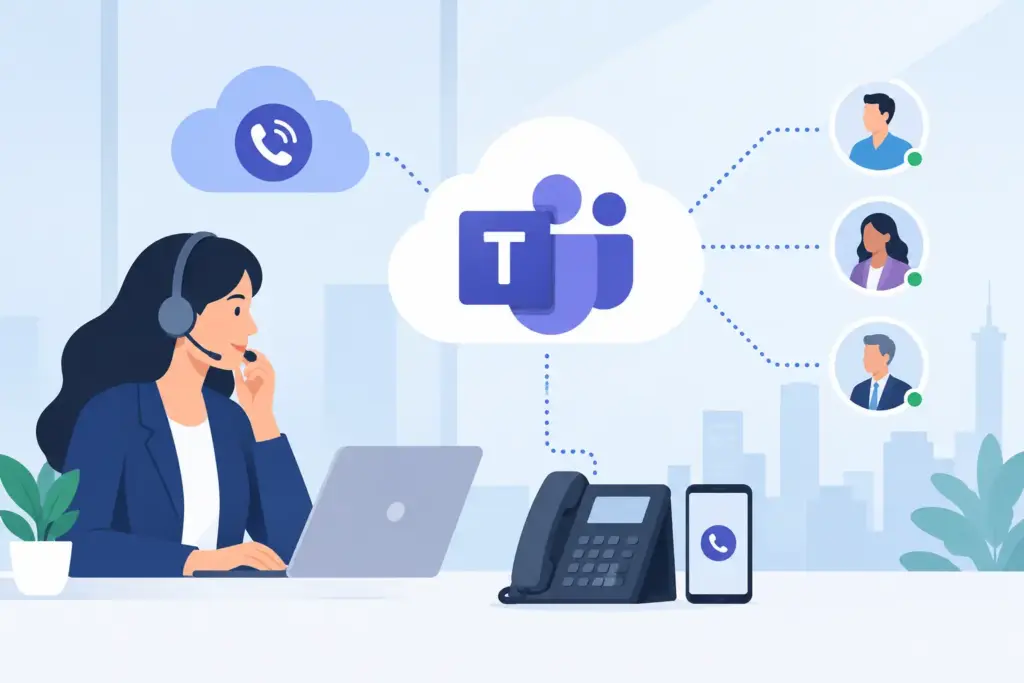
A Teams calling rollout can look complete on a project plan while the underlying voice design remains unfinished. Users may have dial pads and assigned numbers, but IT still needs to account for carrier resiliency, number migration, emergency calling, branch survivability, contact center workflows, and the support model when a critical call fails. Microsoft Teams Operator Connect addresses the carrier connection layer, but its value depends on how well that connection is engineered around the enterprise.
Microsoft Teams Operator Connect enables organizations to bring public switched telephone network calling directly into Teams through Microsoft-certified operators. Rather than running and maintaining customer-managed session border controllers for every calling route, IT can select an operator in the Teams Admin Center, acquire or port numbers, and assign calling services to users. The model reduces infrastructure ownership while keeping Teams at the center of the employee calling experience.
What Microsoft Teams Operator Connect Changes
Operator Connect is Microsoft’s carrier-integrated option for Teams Phone. The carrier manages the interconnection between its voice network and Microsoft’s cloud, while the enterprise administers users, policies, and Teams calling configuration within the Microsoft environment.
For a distributed business, this can materially simplify operations. Employees place and receive calls from the Teams client they already use for meetings and chat. Administrators can assign numbers and calling policies without operating a separate on-premises voice platform solely to connect Teams to the PSTN. The operator remains accountable for the carrier network, telephone number management, and service delivery.
That division of responsibility matters. A carrier integration is not the same as a complete enterprise voice architecture. The Teams tenant still requires disciplined configuration, and the operator must have the geographic coverage, porting capability, service controls, and escalation process required by the business. Organizations with high call volumes, regulated locations, or multiple legacy systems should evaluate the operational design before treating Operator Connect as a simple license add-on.
Operator Connect, Direct Routing, and Calling Plans
Teams Phone provides the calling capability inside Microsoft Teams. Organizations then need a method to reach the PSTN. Operator Connect is one of three common approaches, alongside Microsoft Calling Plans and Direct Routing.
Microsoft Calling Plans can be appropriate for smaller or less complex deployments where standard coverage and a single Microsoft-provided calling model fit the requirement. It is straightforward, but it may not provide the carrier choice, geographic flexibility, or specialized support model an enterprise expects.
Direct Routing offers the greatest architectural control. It connects Teams Phone through certified session border controllers to an organization’s existing carrier services or preferred SIP providers. It is often the right model when a company needs deep integration with legacy PBXs, analog devices, contact center platforms, custom dial plans, or complex international routing. That flexibility also creates more responsibility for SBC design, capacity planning, certificate management, failover, and ongoing monitoring.
Microsoft Teams Operator Connect sits between those models. It provides access to operator-managed carrier services without requiring the enterprise to deploy its own SBC estate for the Teams connection. For many mid-market and enterprise environments, that is a compelling balance: carrier choice and enterprise telephony capabilities with less infrastructure to operate.
The best option is not universal. A national organization standardizing office and remote-worker calling may find Operator Connect ideal. A healthcare network retaining specialized paging, analog, and legacy voice workflows may need Direct Routing for part of the estate. Hybrid architectures are common when modernization must proceed without interrupting operations.
Where Operator Connect Delivers Business Value
The immediate benefit is operational simplification, but the larger value comes from consolidating calling into a collaboration platform employees already know. Users no longer need to decide whether a call belongs on a desk phone, softphone, mobile device, or separate collaboration application. Their business identity and calling experience follow them in Teams.
For IT, the opportunity is to reduce fragmented carrier administration. Number provisioning, porting, user assignment, and call policy management can be organized around a centralized Teams voice strategy. This improves visibility, especially for organizations managing multiple sites, remote workforces, acquisitions, or frequent employee moves.
The customer experience benefit is equally important. Teams calling should not be deployed as an isolated employee productivity project when customer calls drive revenue, service outcomes, or compliance obligations. An enterprise voice architecture must account for how calls transfer into queues, contact centers, reception teams, on-call groups, and AI voice automation. The goal is not merely to put dial tone in Teams. The goal is to eliminate handoffs that create missed calls, long hold times, and inconsistent service.
A practical example is a multi-location service organization. Front-office users may receive local business calls in Teams, while an AI voice agent answers after-hours calls, schedules appointments, and routes urgent requests. Contact center teams handle complex interactions in a dedicated platform, and supervisors need dependable escalation paths when local internet connectivity degrades. Operator Connect can provide the Teams carrier layer, but the full result depends on integration design and resilient routing policies.
Design Questions to Resolve Before Deployment
A successful deployment starts with discovery, not number assignment. Enterprise teams should document the current voice estate, including carrier contracts, inbound numbers, call flows, emergency locations, analog endpoints, conferencing requirements, contact center dependencies, and business-critical integrations.
Number Porting and Geographic Coverage
Porting is often the most visible risk in a voice migration. Validate that the selected operator supports every required number type and service location, including toll-free numbers, main numbers, and local direct inward dialing ranges. Confirm documentation requirements, porting windows, temporary routing plans, and rollback procedures before communicating a cutover date.
Global organizations should also verify country-level coverage and regulatory constraints. A provider that supports a headquarters location may not support every branch office with the same service model. Regional calling requirements can determine whether Operator Connect, Direct Routing, or a combination of both is appropriate.
Emergency Calling and Location Accuracy
Emergency calling cannot be treated as a checkbox. Organizations must define how Teams identifies a user’s location, what address information is presented to emergency services, and how nomadic workers are expected to update their locations. Office networks, home offices, warehouses, and mobile users may require different policies.
The technical configuration must align with real operational behavior. If a worker can sign in from multiple locations, location policy, network mapping, and user guidance need to work together. Testing should include actual emergency-call workflows where permitted, not only administrative review.
Resiliency, Quality, and Support Boundaries
Operator Connect reduces the need to manage SBC infrastructure, but it does not eliminate the need for resiliency planning. Internet access, local network quality, Microsoft service availability, carrier routing, and endpoint configuration all affect voice performance. Prioritize redundant connectivity at critical sites, quality-of-service policies where appropriate, and monitoring that can isolate whether an incident sits in the LAN, WAN, carrier, Teams tenant, or endpoint.
Support boundaries deserve the same attention. When users report one-way audio, failed inbound calls, or degraded quality, IT needs a clear escalation path and defined ownership. Commodity support models create costly delays during voice incidents. Enterprise deployments benefit from direct engineering engagement, documented service responsibilities, and a provider that can interpret call traces and carrier behavior rather than simply redirect tickets.
A Controlled Path to Microsoft Teams Operator Connect
The most reliable migrations are phased. Start with a representative user group, a defined set of numbers, and clear success criteria for call quality, provisioning, emergency calling, and support response. Include remote users and at least one complex location in the pilot. A pilot limited to headquarters desk workers rarely exposes the issues that emerge across the full enterprise.
Next, map each migration wave to business risk. Main lines, executive numbers, contact center entry points, and locations with specialized workflows should not be treated like standard user extensions. Temporary forwarding and coexistence plans can protect business continuity while porting completes. When legacy voice platforms must remain active, integrate them deliberately instead of creating unplanned parallel systems.
UCC Networks designs Teams calling environments around carrier-grade connectivity, multi-carrier redundancy, and zero-downtime migration planning. For organizations that need more than basic PSTN access, the engineering conversation should include existing voice systems, customer call flows, and the path to AI-assisted service with zero hold times.
Microsoft Teams Operator Connect is most effective when it is treated as a foundation for a broader communications operating model. Choose the carrier connection carefully, test the edge cases, and build the escalation and resiliency plan before the first critical number moves. That preparation gives Teams calling the reliability employees expect and gives customers a faster path to the right person or service.