How to Integrate Team Chat With SMS Securely
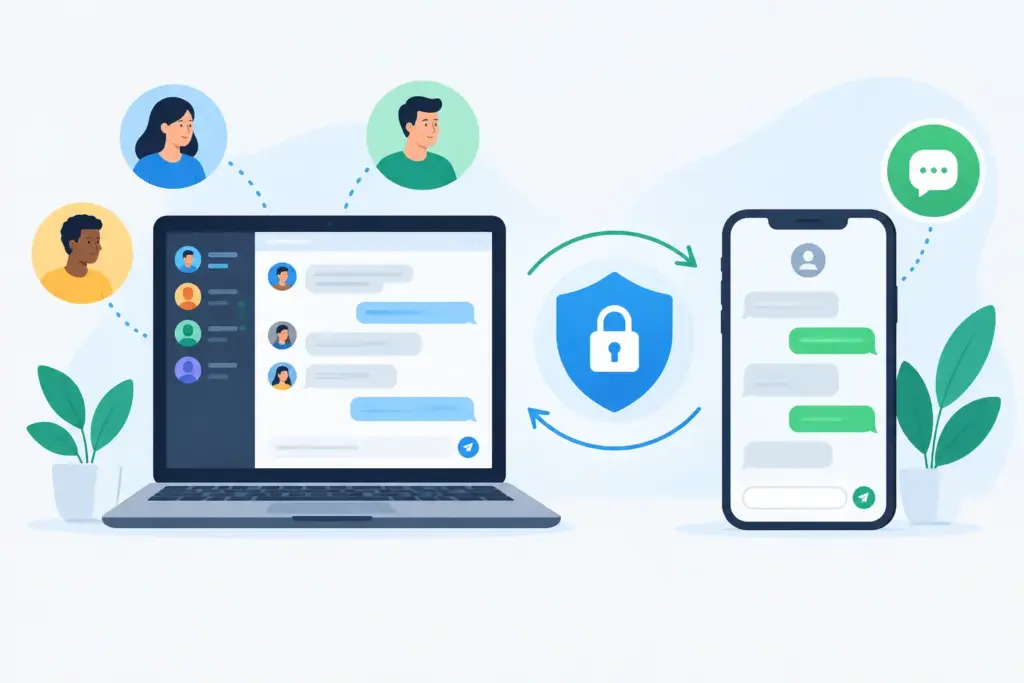
A customer texts your main business number at 4:47 p.m. The message reaches one employee’s mobile phone, a colleague replies from a different app, and the service record never captures the exchange. By the next morning, the customer has repeated the request twice. Organizations integrate team chat with SMS to eliminate this kind of operational blind spot - not simply to give employees another way to send messages.
For mid-market and enterprise teams, business texting is a customer-facing communications channel with the same requirements as voice: reliable routing, shared visibility, controlled access, records retention, and continuity when people change roles or locations. The right design connects SMS to the collaboration environment employees already use while preserving carrier, security, and compliance controls.
Why SMS Cannot Remain a Personal Inbox
SMS is immediate, familiar, and difficult for customers to ignore. It is also easy to mishandle when it sits outside the unified communications environment. Individual mobile numbers create ownership problems. Consumer messaging apps create governance gaps. Separate texting tools force employees to switch screens, copy context, and rely on manual handoffs.
A shared SMS workflow changes the operating model. A customer can text a published business number, and an authorized sales, service, dispatch, or support team can see the conversation in a persistent channel. Team members can claim the request, add internal context, and respond from the approved number without exposing personal mobile numbers.
That visibility matters most during shift changes, escalations, and high-volume events. If a field-services customer sends a photo of damaged equipment, the coordinator, technician, and supervisor need one conversation history. If a contact center receives a text after a missed call, the next available agent needs the customer context immediately rather than beginning from zero.
How to Integrate Team Chat With SMS at Enterprise Scale
The most effective deployments begin with communications architecture, not an app installation. SMS should be treated as a governed extension of the organization’s voice, collaboration, and customer-service environment.
Start with the business workflow
Define which teams need shared messaging and what each message type should trigger. Sales inquiries may require rapid assignment and CRM visibility. Appointment reminders may be automated but need a human escalation path. Service requests may need routing by location, customer tier, or technician availability.
This work prevents a common failure: routing every text into one crowded general channel. A centralized inbox can be useful for a small team, but large organizations need purposeful queues, skills-based routing, ownership rules, and escalation paths. The correct design depends on message volume, service-level commitments, and whether the conversation is transactional, support-related, or revenue-generating.
Use carrier-backed business numbers
Enterprise SMS needs a recognized sending identity. For most application-to-person and business messaging use cases, that means configuring the appropriate 10DLC registration, toll-free verification, or other carrier-approved route. Registration supports deliverability and gives carriers the information needed to distinguish legitimate business traffic from spam.
The number strategy should also be deliberate. Some organizations retain existing published numbers so customers do not need to change behavior. Others assign regional, departmental, or campaign-specific numbers. In either case, number ownership must remain with the organization, not with an individual employee or disconnected software account.
Connect messaging to the team’s system of work
A useful integration delivers more than SMS notifications inside a chat application. Employees should be able to read, reply, assign, and escalate conversations from a shared workspace, with appropriate identity and permissions. Where the environment includes Microsoft Teams, Cisco, Zoom, Genesys, 8x8, or a legacy PBX, the messaging design should account for how calls, presence, queues, and customer records move across those systems.
For example, a customer may text after an unanswered call. The ideal workflow can associate the text with the original business number, alert the designated service group, and preserve the full message history. If the request becomes complex, an employee can place an outbound call from the same business identity or transfer the interaction into the contact center workflow.
This is where unified communications platforms such as UCC Networks UC Connect can reduce fragmentation. Persistent team chat, business SMS/MMS, HD voice, and cloud fax can operate as coordinated services instead of separate tools that require manual reconciliation.
Establish governance before broad rollout
A team chat integration should not turn every employee into an unrestricted business texter. Define who can send from shared numbers, who can view customer conversations, and who can administer routing rules. Apply role-based access so a regional service team sees its assigned interactions without accessing unrelated customer data.
Retention and audit requirements also vary by industry. Healthcare, financial services, public sector organizations, and regulated service providers may need specific retention periods, supervisory access, legal hold capabilities, or controlled message exports. Even organizations without formal industry mandates benefit from a consistent record when resolving disputes, investigating incidents, or reviewing service quality.
Consent management belongs in the same design. Customers should understand why they are receiving texts, have a clear way to opt out, and receive messages at reasonable times. Automated workflows must recognize opt-out keywords immediately and suppress future promotional or nonessential traffic. Transactional messages and marketing programs often follow different consent and content rules, so they should not share a single unmanaged process.
Design for the Moments That Test Operations
The value of shared messaging becomes clear when something changes unexpectedly: a surge in service requests, a regional outage, a staff absence, or a customer escalation outside normal hours. The integration must continue to route work even when the original recipient is unavailable.
Carrier-grade infrastructure and multi-carrier redundancy support this goal, but resilience also requires operational design. Build overflow rules for unanswered messages. Create after-hours routing for urgent requests. Give supervisors visibility into unassigned conversations and aging response times. Make sure administrators can update queues and permissions without waiting for a vendor ticket during a live incident.
Message volume also affects architecture. A few hundred inbound texts per month can be managed with straightforward shared inbox rules. High-volume customer operations may need API-based routing, CRM synchronization, contact center integration, automated acknowledgments, and reporting across multiple locations. Automation should reduce repetitive work, but it should always provide a clean handoff to a person when the customer needs judgment, reassurance, or an exception resolved.
Security and Compliance Questions to Resolve
Before deployment, technology leaders should require clear answers to several questions:
- Where are message contents stored, and how long are they retained?
- Can access be limited by role, location, department, and device policy?
- How are messages encrypted in transit and protected at rest?
- Is customer consent captured, documented, and honored across automated workflows?
- Can administrators audit activity, export records when required, and disable access immediately?
These controls are not obstacles to faster communication. They are what make speed sustainable. An employee who can answer a customer text in seconds is more effective when the interaction is recorded, routed correctly, and available to the next authorized person.
Measure the Operational Result, Not Just Message Volume
SMS integration projects are often judged by adoption alone: how many users were provisioned or how many messages were sent. Those metrics are incomplete. Measure time to first response, percentage of conversations assigned within target, resolution time, missed-call recovery, customer satisfaction, and the number of requests that require customers to repeat themselves.
Also examine the cost of fragmentation. If employees are moving among personal phones, email, chat, a contact center console, and a CRM to resolve one request, the organization is paying in delay and inconsistency. Consolidated communications can lower that overhead while giving leadership a clearer view of demand patterns and staffing needs.
A pilot is often the right path for complex environments. Start with one queue that has a clear business case, such as dispatch, customer support, or appointment coordination. Test routing, consent, retention, escalation, and reporting under real conditions. Then expand using a repeatable deployment model that protects business continuity.
The practical goal is not to make every conversation a text message. It is to ensure that when a customer chooses SMS, the organization responds with the same ownership, context, and reliability it expects from every other critical communications channel.